ContextCore | Reach2 Context Exchange Standard (CXS)

Remember
Every Session.

ContextCore turns your AI Agents conversation history into a searchable, MCP-queryable, composable memory layer for AI-assisted development.

What is ContextCore and who needs it?
  • Who Is ContextCore For?

    • Primary Users: Engineers using AI tooling in code editors.
    • Also Useful For: Anyone running AI workflows locally on their own machine.
    • Core Problem: Conversation history is fragmented across editors and frameworks with weak built-in search.
    • What It Solves: A shared memory layer so agents and humans can reuse prior context across projects and tools.
  • Multi-Harness Ingestion

    • Unified Input: Reads chat history from Claude Code, Cursor, Kiro, Copilot, and OpenCode.
    • Normalized Model: Converts different storage formats into one consistent schema.
    • Reliable Re-Runs: Incremental, idempotent ingestion avoids duplicates and scales with large histories.
  • Hybrid Search

    • Dual Engine: Fuse.js lexical search plus optional Qdrant semantic search.
    • Flexible Queries: Supports exact phrases, fuzzy terms, AND/OR logic, symbols, and subject filters.
    • Better Recall: Finds both exact wording and related concepts from prior sessions.
  • Interactive Visualization

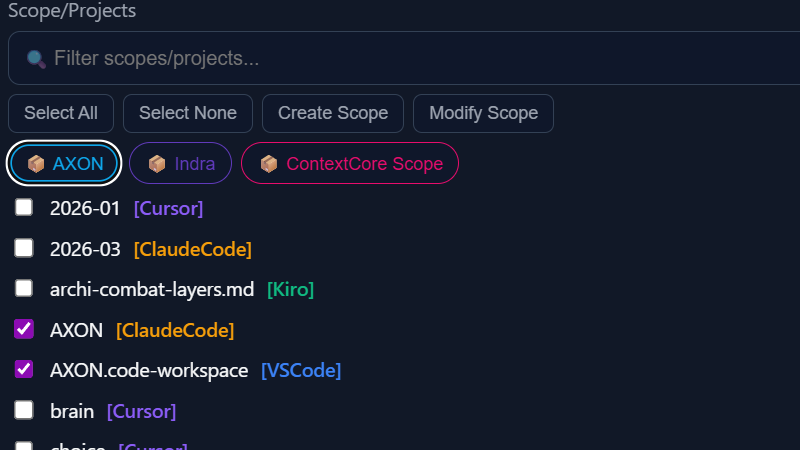
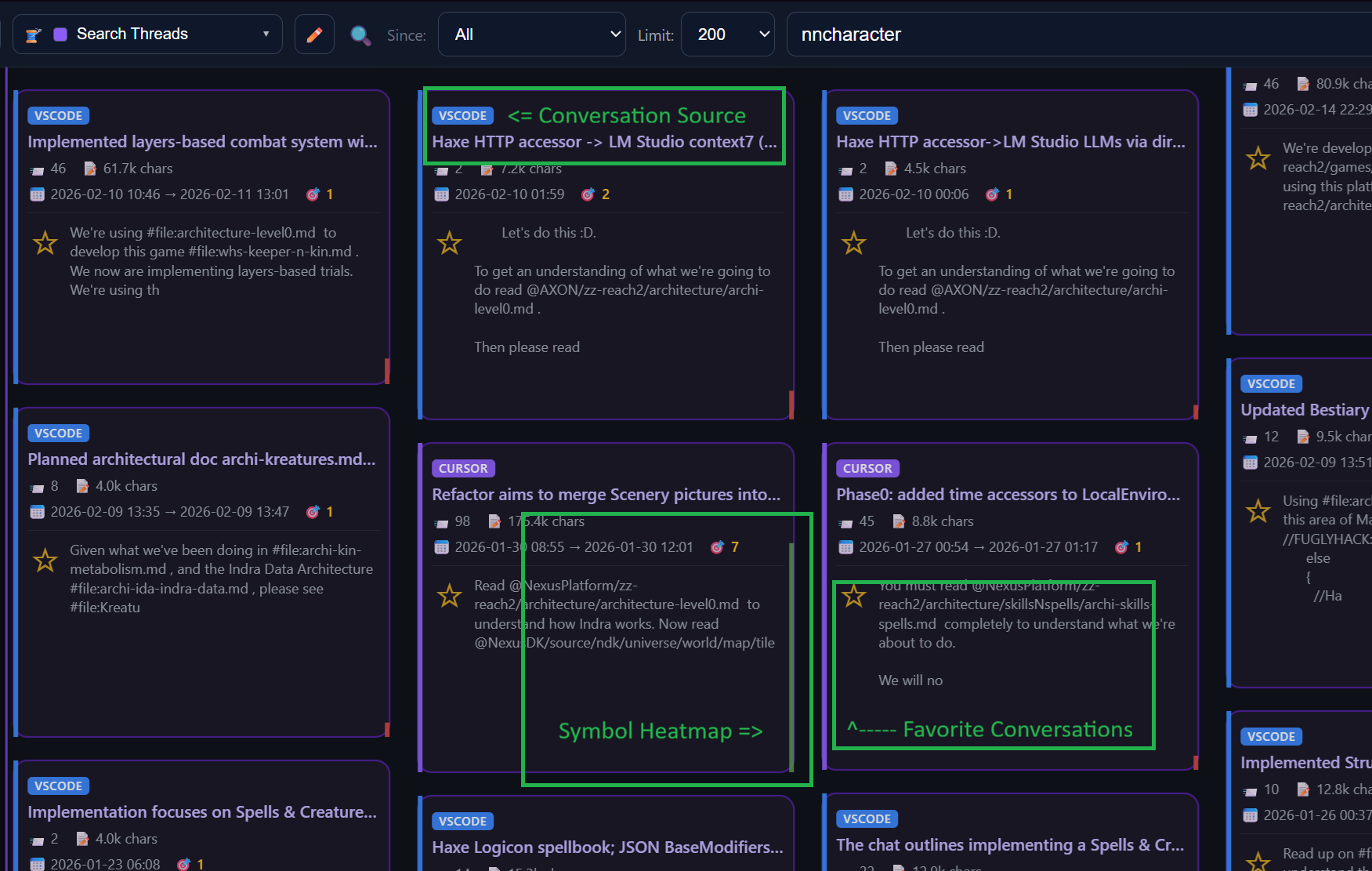
    • D3 Workspace: Explore history in a zoomable card map instead of flat lists.
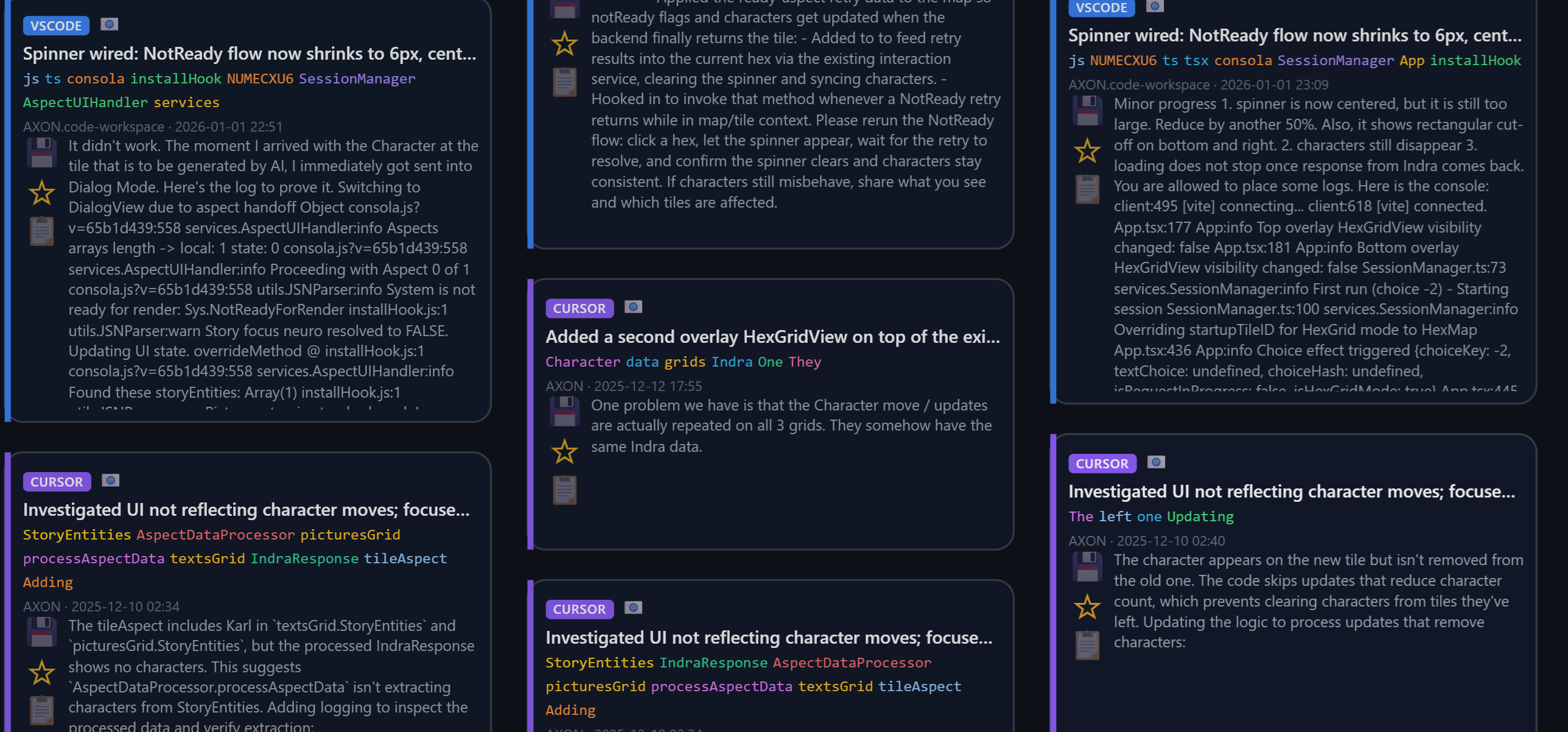
    • Multi-View Flow: Switch between latest threads, message search, thread search, favorites, and custom views.
    • Faster Triage: Relevance and metadata visibility help surface high-value context quickly.
  • MCP Server

    • AI-Accessible Memory: Exposes past sessions through MCP tools, resources, and prompts.
    • Cross-Agent Continuity: New assistants can search prior decisions and continue from existing reasoning.
    • Transport Options: Supports local-first stdio and SSE for remote-capable integrations.
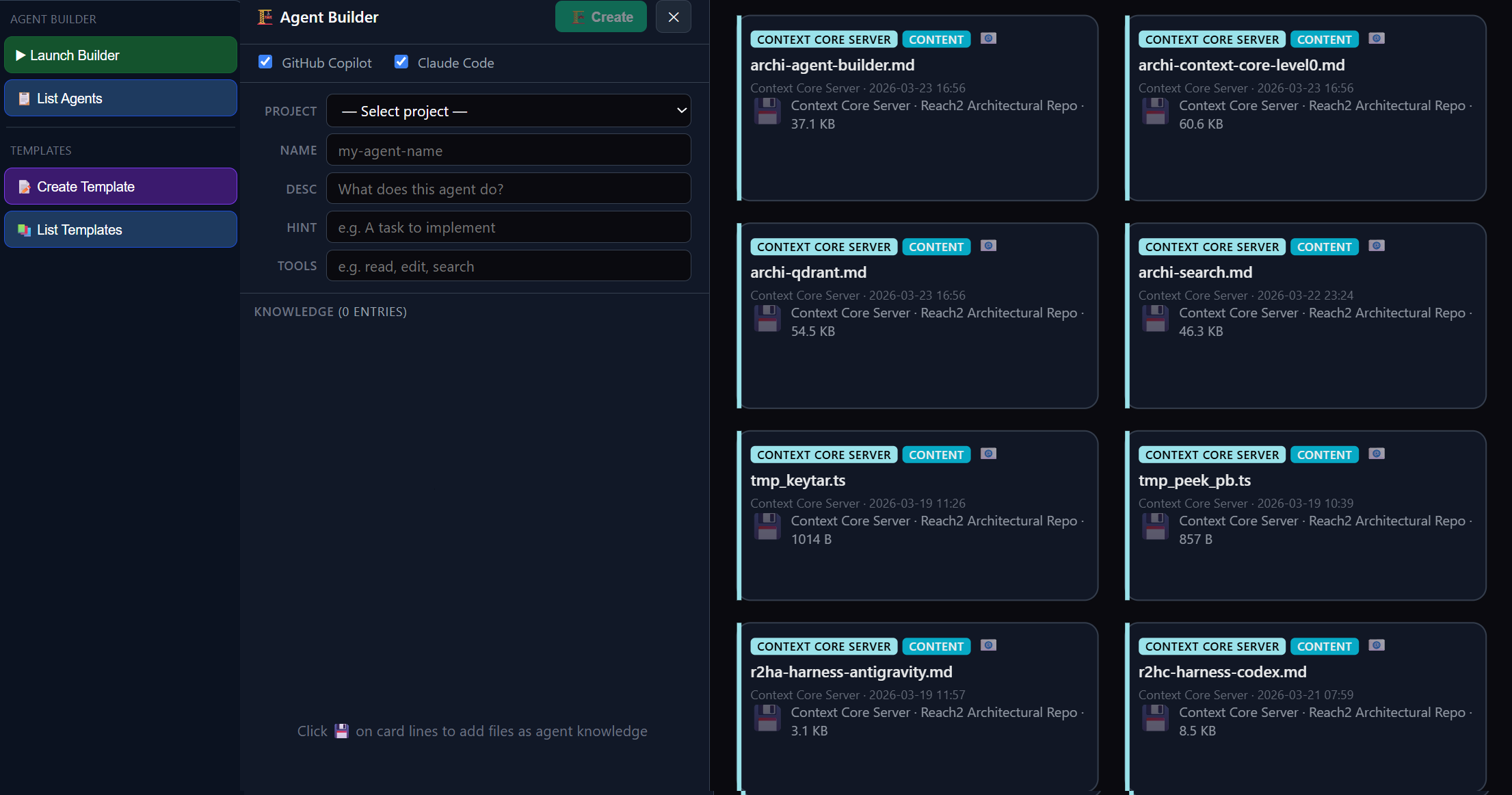
  • Agent Builder

    • Context-Aware Agents: Build reusable agents from indexed project docs and code.
    • Practical Reuse: Package proven workflows into repeatable, editable agent definitions.
    • Team Alignment: Connect historical project knowledge with current execution.
  • Skills & Memory Manager

    • Reusable Patterns: Turn repeatable engineering processes into durable skills and memory assets.
    • Long-Term Learning: Preserve successful team reasoning for future agent runs.
    • Roadmap Pillar: Planned capability focused on scalable organizational memory.

    AI context is THE artifact of our age.

    You have a brilliant debugging session with Claude at 2 AM, make critical architectural decisions with Copilot during a sprint, or work through a complex refactor with Cursor over multiple days — and all of that context is scattered across IDEs with very poor search tooling.

    ContextCore makes it permanent, searchable, and reusable.

    See It in Action

    The Six Pillars

    Built by engineers for engineers. No fluff, just a solid memory layer.

    Multi-Harness Ingestion

    Reads chat history from Claude Code, Cursor, Open Code, Kiro, and VS Code Copilot. Normalizes everything into a single unified format regardless of IDE.

    Ingestion pipeline

    MCP Server

    Transforms storage into a live memory layer. Allow any MCP-capable LLM to search your archive and build on prior reasoning automatically.
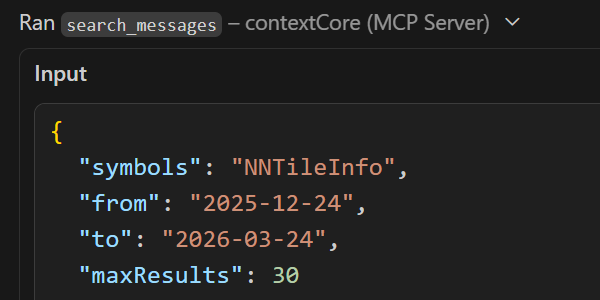
    MCP integration

    Hybrid Search

    Fuzzy lexical search (Fuse.js) combined with semantic vector search (Qdrant). Find conversations by exact phrases or underlying meaning.
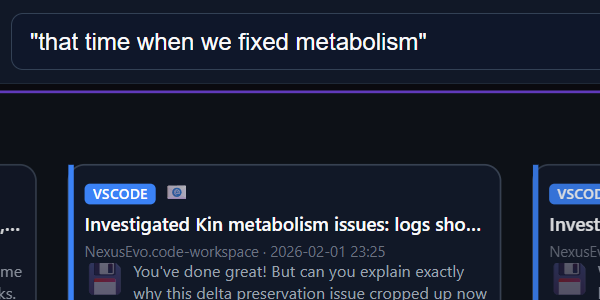
    Hybrid search

    Agent Builder

    Compose and edit reusable AI agents from indexed architecture docs, upgrade notes, and code files directly in the visualizer UI.
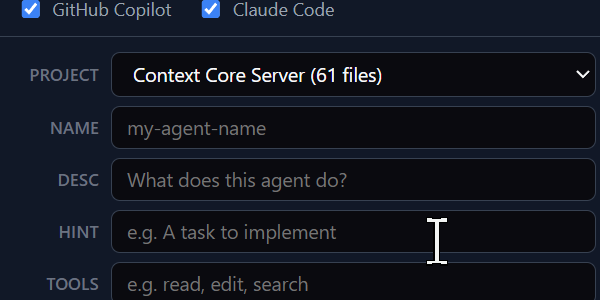
    Agent Builder

    Interactive Visualization

    A D3-powered zoomable card map. Explore your history spatially, save favorites, and spin up AI agents directly from your past chats & indexed project knowledge.

    Skills & Memory Manager

    Package repeatable engineering workflows into reusable skills and memory assets so future agents can apply your team's proven thinking patterns.
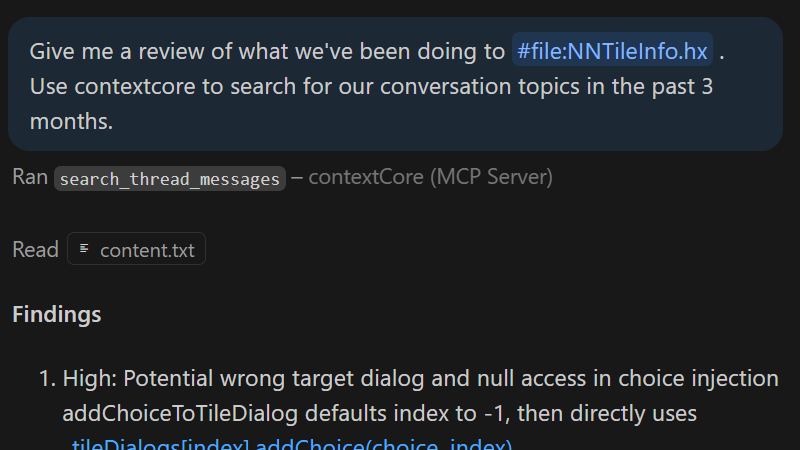
    Planned

    Workflow Examples

    • Continue Tasks

      Pick up exactly where you left off.

      Load prior session transcripts via MCP to give your agent full context of what was tried, what worked, and what was decided months ago.

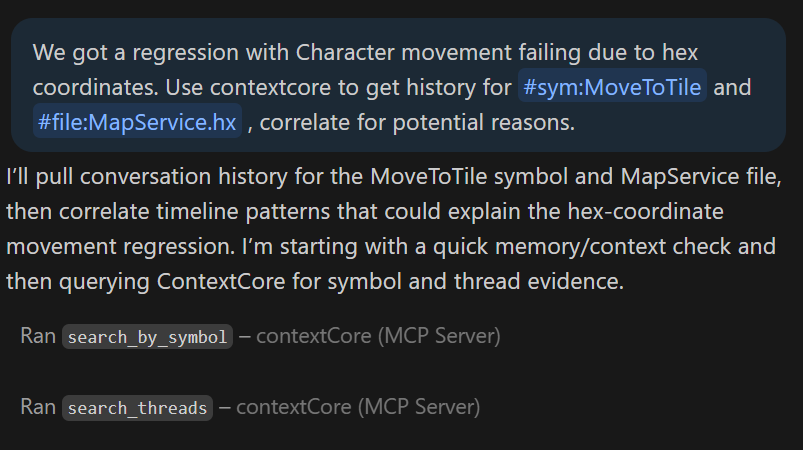
    • Debug Regressions

      Understand historical architectural decisions.

      When an LLM encounters a regression, it can search conversation history to understand what changed, when, and why using the rationale captured in previous chats.

    • Search by Concept

      Unified cross-IDE search.

      A search for "authentication" returns results from Claude Code, Cursor, Kiro, and VS Code sessions equally, ranked by relevance regardless of origin.

    • Agent Builder showcase
    • D3 Conversation Viewer threads
    • D3 Conversation Viewer messages

      Agent Builder

      Compose AI agents directly from the visualizer UI using your indexed knowledge base.

      What Makes It Unique

      Cross-Harness Unification

      No other system reads from JSONL streams, SQLite databases, and incremental JSON patches, normalizing all of it into the same searchable model.

      AI-Accessible Memory

      Not just storage — it's a feedback loop where AI agents build on each other's work via MCP tools, resources, and pre-built prompts.

      Real-time Ingestion

      File watcher detects changes to harness source files as they happen. New conversations appear in the system within seconds, fully indexed.


      Technical Credibility

      Built for engineers, using a modern stack designed for speed and extensibility.

      • Runtime: Bun with native SQLite via bun:sqlite
      • Database: SQLite (in-memory or on-disk WAL mode)
      • Search: Fuse.js (lexical) + Qdrant (vector embeddings)
      • Frontend: React + Vite + D3.js
      • Protocol: Model Context Protocol (MCP)

      Quick Start

      Spin up the orchestrator and visualizer locally:

      # Install dependencies
      cd server && bun install
      cd ../visualizer && bun install
      
      # Setup
      cd ../server && bun setup
      
      # Start the server (ingestion + API + MCP)
      cd server && bun run dev
      
      # Start the visualizer
      cd visualizer && bun run dev
      Clone the Repository